01
Frame-rate conversion in HD & UHD
NTSC and PAL rate families, 25/50 vs 29.97/59.94, and the difference between preserving frames and preserving duration.
Read guide
Timecode Pro for Mac
A compact native timecode calculator for your desktop. Work from the keyboard, compare formats and keep a record of the calculation.
One-time purchase on the Mac App Store.The iPhone/iPad app is sold separately.
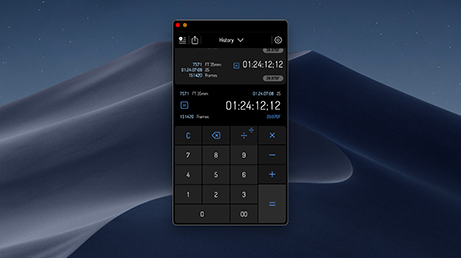
For the edit suite
Check a duration, compare formats or work through a frame count while you are editing. Timecode Pro keeps the calculator focused, with a compact window and familiar Mac commands.
It calculates values. Media retiming, standards conversion and rendering stay in your editing or mastering tools.
Before you buy
No. Timecode Pro for Mac and the iPhone/iPad app have separate App Store purchases. The iPhone/iPad listing is called Timecode.
The Mac app uses a fixed, compact calculator window. It is a standalone calculator, with keyboard and clipboard support.
History stays on the device. It does not sync between the Mac and iPhone/iPad apps.
Your local Mac App Store shows the current price and compatibility requirements. Use the purchase link to check the listing before buying.
Technical reference for the rates, labels and delivery decisions behind your calculations.
NTSC and PAL rate families, 25/50 vs 29.97/59.94, and the difference between preserving frames and preserving duration.
Read guide
Understand 29.97 and 59.94 counting, skipped labels and the relationship between timecode and elapsed time.
Read guide
24, 23.976 and 25 fps: conform speed, pulldown, audio timing and scanned-film workflows.
Read guide